When it comes to tracking shared expenses, many people start with Google Sheets.
It's free, flexible, and available almost everywhere.
However, as trips become more complex and groups grow larger, manually managing expenses inside spreadsheets can quickly become frustrating.
That's why dedicated expense-sharing tools like SplitPilot have become increasingly popular.
But which option is actually better?
In this guide, we'll compare SplitPilot and Google Sheets across ease of use, expense tracking, bill splitting, travel management, and overall convenience.
By the end, you'll know which solution is best for your situation.
Why People Use Google Sheets for Expense Tracking
Google Sheets has been a popular choice for years because it provides complete control over data.
Users can create custom spreadsheets for:
Travel budgets
Shared household expenses
Roommate bills
Group activities
Event planning
The biggest advantage is flexibility.
You can design the spreadsheet exactly how you want.
However, flexibility often comes with additional work.
The Challenges of Using Google Sheets
While spreadsheets can work well for small projects, they become difficult to manage as expenses increase.
Common problems include:
Manual Calculations
Someone has to calculate:
Individual shares
Remaining balances
Reimbursements
Every time a new expense is added.
Formula Errors
One incorrect formula can throw off the entire expense report.
Duplicate Entries
Multiple people editing the same sheet often leads to mistakes.
Poor Mobile Experience
Entering expenses while traveling isn't always convenient.
Time-Consuming Updates
Users frequently spend more time maintaining the spreadsheet than enjoying their trip.
These challenges are one reason many users searching for the best expense splitting app eventually move away from spreadsheets.
What Is SplitPilot?
SplitPilot is a dedicated group expense tracker designed specifically for splitting shared costs.
Instead of creating formulas and calculating balances manually, users simply:
Create a group
Add expenses
Let SplitPilot calculate everything automatically
The platform was built to simplify shared spending without requiring spreadsheet knowledge.
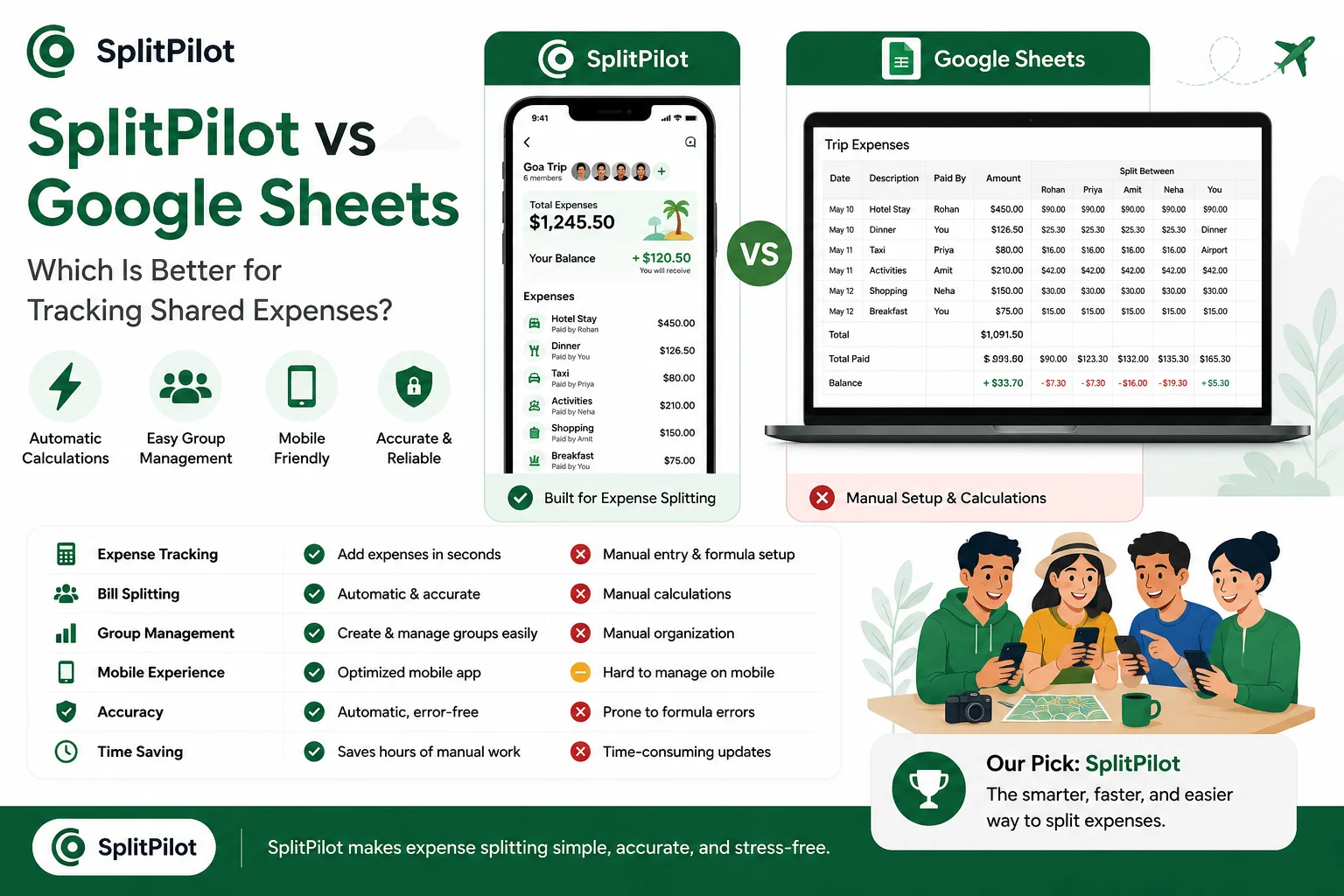
SplitPilot vs Google Sheets: Feature Comparison
Feature | SplitPilot | Google Sheets |
Expense Tracking | ✅ Automatic | ⚠ Manual |
Bill Splitting | ✅ Automatic | ⚠ Manual |
Group Management | ✅ Built-In | ❌ Manual Setup |
Travel Tracking | ✅ Excellent | ⚠ Basic |
Mobile Experience | ✅ Optimized | ⚠ Limited |
Balance Calculation | ✅ Instant | ⚠ Formula Required |
Ease of Use | ✅ Excellent | ⚠ Moderate |
Setup Time | ✅ Minutes | ⚠ Longer |
Ease of Use
Google Sheets
Google Sheets offers unlimited customization.
However, every group must:
Create columns
Build formulas
Configure calculations
Maintain data manually
This creates additional work for users.
SplitPilot
SplitPilot is designed specifically for expense sharing.
Simply add expenses and balances update automatically.
For users who want to split expenses online without learning formulas, the experience is significantly easier.
Winner: SplitPilot
Travel Expense Tracking
Travel is one of the most common reasons people share expenses.
A typical vacation includes:
Flights
Hotels
Transportation
Food
Activities
Shopping
Managing these expenses manually inside a spreadsheet can become difficult.
SplitPilot was built specifically for this scenario.
Users can track every expense in real time while traveling.
If you're planning a vacation, you may also want to read our guide on Which Expense Splitting App Is Best? to compare additional options available today.
Winner: SplitPilot
Accuracy
Google Sheets relies entirely on formulas.
If formulas are incorrect, balances become inaccurate.
SplitPilot calculates expenses automatically and reduces human error.
This makes it particularly useful for larger groups.
Winner: SplitPilot
Collaboration
Google Sheets
Everyone can edit the spreadsheet.
While this is useful, it also increases the risk of accidental changes.
SplitPilot
Expense sharing is designed into the platform.
Group members can track expenses without worrying about breaking formulas or deleting data.
Winner: SplitPilot
Cost
Google Sheets is free.
SplitPilot is also free for users who want a simple and efficient way to manage shared expenses.
This means users no longer need to sacrifice convenience in exchange for cost savings.
Winner: Tie
Real Example
Imagine five friends taking a week-long trip.
Expenses include:
Expense | Amount |
Hotel | $800 |
Flights | $1,000 |
Food | $400 |
Transportation | $200 |
Activities | $350 |
Total = $2,750
Using Google Sheets:
Someone builds formulas
Expenses must be entered correctly
Balances require verification
Using SplitPilot:
Add expenses
View balances instantly
Track who owes what automatically
The difference becomes obvious as expenses grow.
When Google Sheets Still Makes Sense
Google Sheets may be a good choice if:
You enjoy spreadsheets
You need highly customized reports
You're managing very small groups
You don't mind manual calculations
For simple projects, spreadsheets remain useful.
When SplitPilot Is the Better Choice
SplitPilot is ideal if you:
Travel frequently
Share expenses with friends
Split bills regularly
Want automatic calculations
Need a dedicated travel expense tracker
Prefer a simple split bill app
Most users find that specialized tools save significant time compared to spreadsheets.
Frequently Asked Questions
Is Google Sheets good for splitting expenses?
Yes, but it requires manual calculations and ongoing maintenance.
What is better than a spreadsheet for expense tracking?
Dedicated expense-sharing tools provide automatic calculations and easier collaboration.
Can SplitPilot replace Google Sheets?
For shared expenses, group travel, and bill splitting, many users find SplitPilot significantly easier to manage.
Which is best for travel expenses?
Travel-focused tools generally perform better than spreadsheets because they automate expense tracking and balance calculations.
Is SplitPilot free?
Yes, users can track expenses and split bills without needing complex spreadsheet formulas.
Final Verdict
Google Sheets remains a powerful tool for custom budgeting and data management.
However, when it comes to shared expenses, travel costs, and group spending, dedicated solutions offer a far better experience.
If your goal is simply to track expenses, split costs fairly, and settle balances quickly, SplitPilot provides a faster and more user-friendly solution.
And if you're still exploring alternatives, check out our guides on Best Splitwise Alternatives and Free Alternatives to Splitwise to discover other popular expense-sharing tools used by travelers, roommates, and groups worldwide.