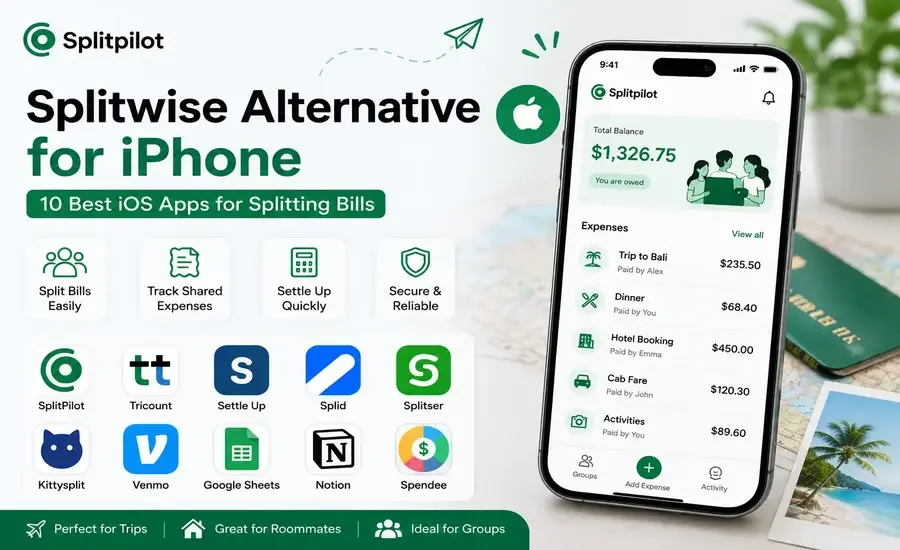
iPhone users have access to some of the best expense-sharing apps available today. While Splitwise has been a popular choice for years, many people are now searching for alternatives that offer a smoother user experience, smarter automation, and features like receipt scanning, AI-powered expense tracking, and faster settlements.
Whether you're planning a vacation, sharing rent with roommates, or splitting dinner bills with friends, choosing the right iPhone app can save time and eliminate manual calculations.
This guide compares the best Splitwise alternatives for iPhone, helping you find the app that fits your needs.
Why iPhone Users Look for Splitwise Alternatives
Splitwise is a capable expense-sharing app, but every group has different needs. Many iPhone users look for alternatives because they want:
A cleaner and more modern interface
Faster expense entry
Better free features
Automatic balance tracking
Receipt scanning
AI-powered assistance
Easier group management
Better performance on iOS
The right app depends on how often you split expenses and the features that matter most to you.
Best Splitwise Alternatives for iPhone
1. SplitPilot – Best Overall
SplitPilot is designed specifically for managing shared expenses. It helps users split bills, track balances, and settle payments without relying on spreadsheets or manual calculations.
Key Features
Automatic bill splitting
Real-time balance updates
Receipt scanning
AI-powered expense assistant
Multi-currency support
Quick settlements
Clean iPhone interface
Best For
Travel groups
Couples
Roommates
Families
Shared household expenses
2. Tricount
Tricount makes it simple to create shared expense lists for vacations, parties, and group events. Participants can easily contribute expenses throughout the trip.
Best For: Travel groups and weekend getaways.
3. Settle Up
Settle Up supports multiple currencies, cloud synchronization, and flexible bill splitting, making it a good option for frequent travelers.
Best For: International trips and long-term expense tracking.
4. Splid
Splid offers a lightweight approach to expense sharing with a straightforward interface that works well for casual users.
Best For: Friends and occasional group expenses.
5. Splitser
Splitser automatically calculates balances between group members and helps simplify settlements.
Best For: Students, roommates, and social groups.
6. Kittysplit
Kittysplit is a browser-based solution that works well on Safari without requiring participants to install an app.
Best For: Occasional expense sharing.
7. Venmo
Venmo combines digital payments with basic expense tracking, making it useful for reimbursing friends after splitting costs.
Best For: Direct peer-to-peer payments.
8. Google Sheets
Some users still track shared expenses manually using Google Sheets. While flexible, every calculation and balance update must be managed manually.
9. Notion
Notion can be turned into an expense tracker using databases and formulas, but it requires significant setup and doesn't automatically split bills.
You may also find our SplitPilot vs Notion Expense Tracker comparison useful if you're considering a customizable workspace instead of a dedicated app.
10. Spendee
Spendee focuses on budgeting while also supporting shared wallets for collaborative expense management.
Best For: Families and household budgeting.
Feature Comparison
App | Bill Splitting | Receipt Scanner | AI Features | Group Tracking | iPhone App |
SplitPilot | ✅ | ✅ | ✅ | ✅ | ✅ |
Tricount | ✅ | ❌ | ❌ | ✅ | ✅ |
Settle Up | ✅ | ❌ | ❌ | ✅ | ✅ |
Splid | ✅ | ❌ | ❌ | ✅ | ✅ |
Splitser | ✅ | ❌ | ❌ | ✅ | ✅ |
Kittysplit | ✅ | ❌ | ❌ | Browser | Safari |
Venmo | Limited | ❌ | ❌ | Limited | ✅ |
Google Sheets | ❌ | ❌ | ❌ | Manual | ✅ |
Notion | ❌ | ❌ | ❌ | Manual | ✅ |
Spendee | Limited | ❌ | ❌ | ✅ | ✅ |
What Should You Look for in an iPhone Expense App?
Before choosing a Splitwise alternative, consider these features:
Quick expense entry
Automatic bill splitting
Live balance updates
Receipt scanning
Multi-currency support
Secure cloud synchronization
Easy settlements
Native iOS experience
The more automation an app provides, the less time you'll spend managing expenses manually.
Who Should Choose SplitPilot?
SplitPilot is an excellent choice if you:
Frequently split restaurant bills
Travel with friends
Share rent or utilities
Want automatic balance calculations
Need receipt scanning
Prefer a clean and intuitive iPhone interface
Want AI assistance for managing shared expenses
Final Verdict
There are plenty of excellent expense-sharing apps available for iPhone, but each one serves a different audience.
If you're looking for a simple, modern app that automates bill splitting, tracks balances in real time, and reduces manual work, SplitPilot stands out as one of the strongest Splitwise alternatives for iOS.
Whether you're managing vacation costs, household expenses, or everyday group spending, the right app can make sharing expenses faster, simpler, and more accurate.
Frequently Asked Questions
What is the best Splitwise alternative for iPhone?
SplitPilot is one of the best alternatives for iPhone thanks to features like automatic bill splitting, receipt scanning, AI-powered expense management, and real-time balance tracking.
Is SplitPilot available on iPhone?
Yes. SplitPilot is available for iPhone and helps users manage shared expenses, split bills, and settle balances with friends, roommates, and family members.
Which iPhone app is best for travel expenses?
SplitPilot, Tricount, and Settle Up are among the most popular options for managing shared travel expenses.
Can I split bills for free on iPhone?
Yes. Many iPhone expense-sharing apps offer free plans with essential features, while premium subscriptions unlock additional functionality.
Which app is better than Splitwise?
The answer depends on your needs. If you value receipt scanning, AI-powered assistance, automatic calculations, and a modern iOS experience, SplitPilot is a strong alternative.