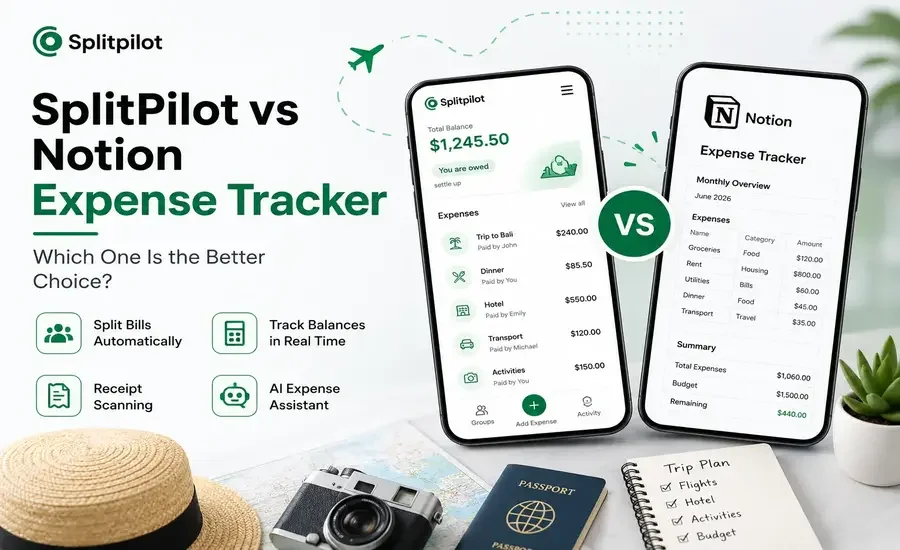
Finding the right tool for tracking expenses depends on how you manage your money. If you're handling personal budgets, a flexible workspace like Notion can be a great option. However, if you regularly split costs with friends, roommates, or family members, a dedicated expense-sharing app often provides a much smoother experience.
In this comparison, we'll explore the differences between SplitPilot and Notion Expense Tracker, including their features, ease of use, automation, collaboration, and ideal use cases, so you can choose the option that best fits your needs.
If you want a faster way to divide bills and keep everyone's balances accurate, explore SplitPilot to simplify shared expense management.
What Is SplitPilot?
SplitPilot is an expense-sharing app designed specifically for groups. Instead of relying on spreadsheets or manual calculations, it automatically records shared expenses, calculates balances, and tracks settlements.
It's suitable for:
Roommates sharing rent and utilities
Friends on vacations
Couples managing household expenses
Families sharing everyday costs
Event organizers
Key features include:
Automatic bill splitting
Real-time balance tracking
Receipt scanning
AI-powered expense assistant
Settlement history
Multi-currency support
If you're comparing popular expense-sharing apps, you may also enjoy reading our SplitPilot vs Splitwise comparison.
What Is a Notion Expense Tracker?
A Notion Expense Tracker is usually a custom template built using Notion databases. Users can create tables, formulas, dashboards, and reports to organize financial information exactly how they want.
Notion is excellent for:
Personal budgeting
Business expense tracking
Savings planning
Financial dashboards
Customized workflows
While it offers outstanding flexibility, it isn't specifically designed for splitting expenses between multiple people.
If you currently rely on spreadsheets or database templates, our guide on Excel Expense Tracking vs Dedicated Apps explains when switching to a dedicated solution makes sense.
Feature Comparison
Feature | SplitPilot | Notion Expense Tracker |
Built for Shared Expenses | ✅ Yes | ❌ No |
Automatic Bill Splitting | ✅ | ❌ |
Balance Calculation | ✅ Instant | ⚠ Manual |
Settlement Tracking | ✅ | ❌ |
Receipt Scanner | ✅ | ❌ |
AI Expense Assistant | ✅ | ❌ |
Group Collaboration | ✅ Built-in | ⚠ Workspace Sharing |
Ready to Use | ✅ | ❌ Requires Setup |
Multi-Currency Support | ✅ | ⚠ Custom Setup |
Setup and Ease of Use
SplitPilot
Getting started is simple.
Create a group.
Invite members.
Add expenses.
Let the app calculate everyone's share automatically.
No formulas or templates are required.
Notion
Using Notion requires more preparation. You'll typically need to build databases, create formulas, design dashboards, and maintain calculations yourself.
For users who enjoy customization, this flexibility is valuable. For those who simply want to split expenses, it can feel time-consuming.
Bill Splitting
Bill splitting is where these two platforms differ the most.
SplitPilot
SplitPilot supports several splitting methods, including:
Equal splits
Custom amounts
Percentage-based splits
Unequal contributions
Balances are updated automatically whenever a new expense is added.
Notion
Notion can store expense records, but it doesn't automatically calculate each person's share or maintain running balances. Most calculations need to be created manually using formulas.
If you're evaluating more apps before deciding, check out our guide to the Best Splitwise Alternatives for additional comparisons.
Collaboration
Managing expenses with other people should be simple.
SplitPilot
Group members can:
Add expenses
View balances
Monitor settlements
Track payment history
Everything stays synchronized automatically.
Notion
Although multiple people can edit the same workspace, collaboration focuses on databases rather than shared financial management. Manual edits can sometimes lead to inconsistent calculations.
Reports and Insights
SplitPilot
The app automatically provides:
Total group spending
Individual contributions
Outstanding balances
Settlement progress
No additional setup is required.
Notion
Reports depend entirely on the dashboards and formulas you create. While powerful, they require more ongoing maintenance.
Automation
Automation is one of SplitPilot's biggest advantages.
SplitPilot
Built-in automation includes:
Automatic calculations
Balance updates
Receipt scanning
Settlement tracking
AI-powered expense assistance
Notion
Automation is limited unless connected to external services, meaning many repetitive tasks remain manual.
Which Tool Is Best for You?
Choose SplitPilot if you:
Frequently split bills
Travel with friends
Share rent or utilities
Want automatic calculations
Prefer a mobile-first experience
Need quick balance tracking
Choose Notion if you:
Mainly manage personal finances
Enjoy building custom systems
Already use Notion every day
Need highly flexible databases
Don't mind manual calculations
Pros and Cons
SplitPilot
Pros
Built specifically for shared expenses
Fast setup
Automatic bill splitting
Real-time balance tracking
Receipt scanning
AI-powered assistance
Cons
Less customizable than Notion
Notion Expense Tracker
Pros
Extremely flexible
Great for personal budgeting
Custom dashboards
Powerful database features
Cons
Manual bill splitting
No built-in settlement tracking
Longer setup process
Requires formula knowledge
Final Verdict
SplitPilot and Notion serve different purposes. Notion is an excellent productivity platform for creating customized financial systems, while SplitPilot focuses on making shared expense management as simple as possible.
If your goal is to split bills, keep track of group spending, and settle balances without manual calculations, a dedicated app is the more practical choice.
Whether you're planning a trip, sharing household expenses, or organizing group activities, SplitPilot helps reduce the time spent on calculations so you can focus on what matters most.
Frequently Asked Questions
Can I use Notion to split expenses?
Yes, but you'll need to build formulas and calculate balances manually since Notion doesn't include built-in bill-splitting features.
Is SplitPilot better for roommates?
Yes. SplitPilot automatically tracks shared expenses, balances, and settlements, making it ideal for roommates.
Does Notion support automatic balance calculations?
Not by default. Users need to create custom formulas and maintain them over time.
Which is better for travel groups?
SplitPilot is generally the better choice because it was designed specifically for managing shared travel expenses and group payments.