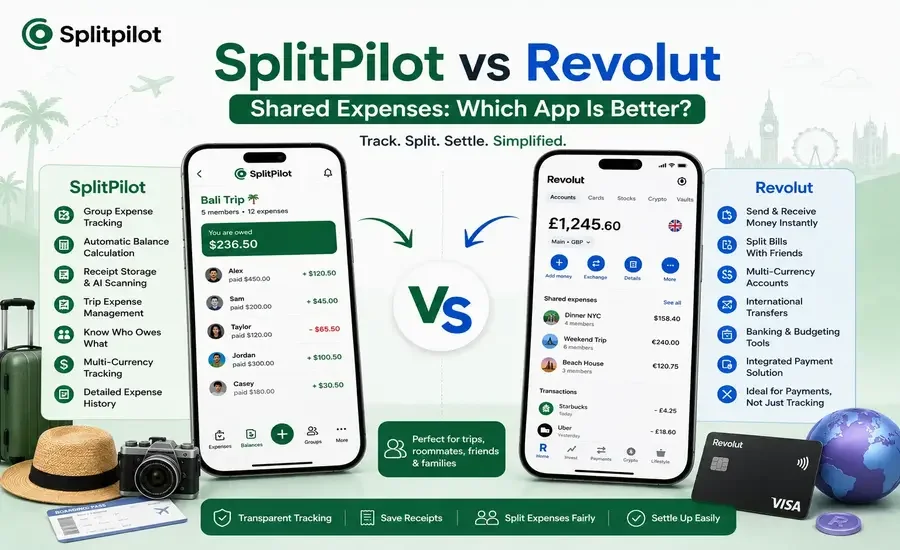
Splitting expenses is one of the easiest ways to avoid awkward conversations when you're traveling, dining out, or sharing household costs. While many people use Revolut for its banking and international payment features, it also includes a shared expense option that helps users split bills with friends.
But is it enough for managing ongoing group expenses?
If you regularly split costs with roommates, family members, or travel groups, a dedicated expense-sharing app like SplitPilot offers features that go beyond simple payment splitting.
In this comparison, we'll explore how SplitPilot and Revolut compare for shared expenses, who each app is best suited for, and which one fits your needs.
Quick Comparison
Feature | SplitPilot | Revolut Shared Expenses |
Primary Purpose | Expense sharing & tracking | Digital banking & payments |
Group Expense Tracking | ✅ Yes | ✅ Basic |
Automatic Balance Calculation | ✅ Yes | ✅ Limited |
Multiple Expense Groups | ✅ Yes | ⚠️ Limited |
Trip Expense Tracking | ✅ Yes | ❌ No |
Receipt Storage | ✅ Yes | ❌ No |
AI Receipt Scanning | ✅ Premium | ❌ No |
Multi-Currency Support | ✅ Yes | ✅ Excellent |
Payment Transfers | Uses preferred payment method | ✅ Built-in |
Expense History | Detailed | Basic |
What Is SplitPilot?
SplitPilot is an expense-sharing app designed specifically for people who frequently share costs with others. Instead of focusing on payments, it focuses on organizing, tracking, and calculating shared expenses automatically.
It's ideal for:
Friends
Couples
Families
Roommates
Travel groups
Office teams
With automatic balance calculations, receipt storage, and trip organization, SplitPilot makes it easy to keep everyone's expenses in one place.
What Is Revolut Shared Expenses?
Revolut is a digital banking platform that offers:
Money transfers
International payments
Currency exchange
Virtual cards
Budgeting tools
Shared expense splitting
Its shared expense feature allows users to split bills and request payments from friends, especially within the Revolut ecosystem.
While convenient for occasional bill splitting, it isn't designed to manage complex or long-term group expenses.
SplitPilot vs Revolut: Feature Comparison
1. Group Expense Tracking
SplitPilot
SplitPilot lets you create dedicated groups for different situations, such as:
Vacation trips
Apartments
Family events
Office lunches
Weekend outings
Every expense stays organized, making it easy to review balances at any time.
Revolut
Revolut allows users to split individual payments and request money, but it provides fewer tools for organizing ongoing group expenses.
Winner: SplitPilot
2. Trip Expense Management
Travel often includes shared costs like:
Hotels
Flights
Food
Taxi rides
Activities
Shopping
SplitPilot keeps all trip-related expenses in one place, making it simple to see total spending and who owes what.
Revolut focuses on payments rather than comprehensive trip expense management.
Winner: SplitPilot
3. Automatic Balance Calculation
SplitPilot automatically updates balances every time a new expense is added.
You always know:
Who paid
Who owes money
Current balances
Settlement amounts
Revolut can split individual payments, but it doesn't provide the same level of ongoing balance management.
Winner: SplitPilot
4. Multi-Currency Support
This is one of Revolut's strongest features.
Users can:
Hold multiple currencies
Exchange money at competitive rates
Make international transfers
Pay abroad
SplitPilot also supports multi-currency expense tracking, making it useful for international trips, but it isn't a banking platform.
Winner: Revolut
5. Receipt Management
SplitPilot allows users to attach receipts to expenses, keeping everything organized.
Premium users also benefit from AI-powered receipt scanning, reducing manual data entry.
Revolut stores payment records but doesn't provide dedicated receipt management for group expenses.
Winner: SplitPilot
6. Payment Transfers
Revolut excels when it comes to moving money.
Users can instantly:
Send payments
Request money
Transfer internationally
SplitPilot focuses on organizing expenses, allowing users to settle balances using their preferred payment platform.
Winner: Revolut
Pros and Cons
SplitPilot
Pros
Purpose-built for shared expenses
Automatic balance calculations
Organized expense groups
Trip expense tracking
Receipt storage
AI receipt scanning (Premium)
Detailed expense history
Supports multiple currencies for tracking
Cons
Doesn't process payments directly
Revolut
Pros
Excellent international payments
Multi-currency accounts
Fast money transfers
Banking features
Convenient for Revolut users
Cons
Limited group expense management
No AI receipt scanning
Basic expense organization
Not optimized for long-term shared expense tracking
Which App Should You Choose?
Choose SplitPilot if you:
Frequently split expenses with friends or family
Manage recurring shared costs
Want automatic balance calculations
Need receipt storage
Organize travel expenses
Prefer a dedicated expense-sharing solution
Choose Revolut if you:
Already use Revolut as your primary bank
Need international money transfers
Split bills occasionally
Want to send and receive payments instantly
Can You Use SplitPilot and Revolut Together?
Yes, and for many users, this combination works exceptionally well.
A common workflow is:
Record and organize all shared expenses in SplitPilot.
Let SplitPilot calculate who owes what.
Settle the final balances using Revolut.
This approach combines powerful expense tracking with fast, secure payments.
Frequently Asked Questions
Is Revolut good for shared expenses?
Revolut is useful for splitting individual bills and sending payments, but it isn't designed for managing ongoing shared expenses across multiple groups or trips.
Does SplitPilot support multiple currencies?
Yes. SplitPilot supports multi-currency expense tracking, making it a great option for international travel and cross-border expense sharing.
Which app is better for travel groups?
SplitPilot is generally better for managing travel expenses because it keeps all shared costs, balances, and receipts organized in one place. Revolut is ideal for handling the actual payments and currency exchange.
Can SplitPilot replace Revolut?
Not completely. SplitPilot focuses on expense management rather than banking or payment processing. Many users use both apps together.
Does SplitPilot include receipt scanning?
Yes. Premium users can scan receipts with AI to automatically capture expense details and reduce manual entry.
Final Verdict
Revolut is an excellent choice for digital banking, international transfers, and splitting occasional payments. However, when managing shared expenses over several days, weeks, or months, it offers only basic organizational tools.
SplitPilot is built specifically for collaborative expense management. From automatic balance calculations and trip organization to receipt storage and AI-powered receipt scanning, it provides everything needed to simplify group finances.
For many travelers and roommates, the ideal setup is to track expenses with SplitPilot and settle payments through Revolut.