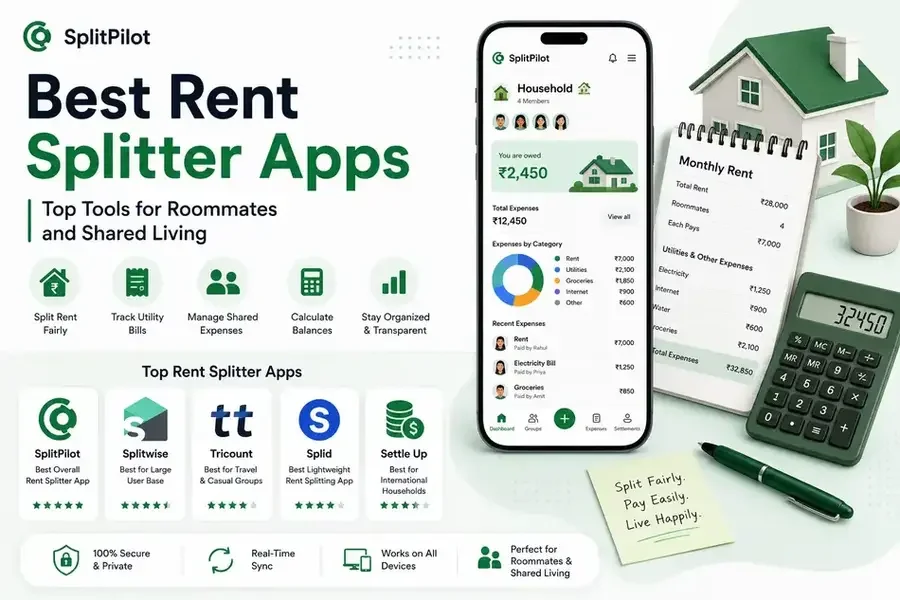
Living with roommates can save money, but managing rent, utilities, groceries, and shared household expenses often creates confusion. Questions like "Who paid the electricity bill?" or "How much does everyone owe for internet?" can quickly become frustrating without a proper system.
Fortunately, rent splitter apps make it easy to divide expenses fairly, track payments, and avoid awkward money conversations.
In this guide, we'll explore the best rent splitter apps available today and help you find the right solution for your household.
Why Use a Rent Splitter App?
A rent splitter app helps roommates and housemates:
Split rent fairly
Track utility bills
Manage grocery expenses
Monitor shared spending
Calculate balances automatically
Reduce payment disputes
Instead of relying on spreadsheets or group chats, these tools keep everything organized in one place.
If you're new to shared expense management, our guide on how to divide rent and utility bills fairly provides useful strategies for splitting household costs.
1. SplitPilot
Best Overall Rent Splitter App
SplitPilot is designed specifically for people managing shared expenses. Beyond simple rent splitting, it acts as a complete group expense tracker that helps users manage all household costs.
Key Features
Rent splitting
Utility expense tracking
Shared household budgets
Receipt scanning
AI-powered expense tracking
Settlement management
Expense reports and insights
Why It Stands Out
Unlike many traditional bill-splitting apps, SplitPilot helps users track recurring household expenses over time.
Whether you're splitting rent, internet bills, groceries, or streaming subscriptions, the platform provides complete visibility into shared spending.
2. Splitwise
Best for Large User Base
Splitwise remains one of the most recognized names in expense sharing.
Strengths
Easy expense recording
Balance simplification
Wide adoption
Multiple group support
Limitations
Some users seek alternatives because of feature restrictions and premium upgrades.
If you're considering other options, check out our guide on why users are leaving Splitwise for a deeper look at common frustrations.
3. Tricount
Best for Travel and Casual Groups
Tricount offers a straightforward way to track shared expenses.
Best For
Temporary roommate situations
Travel groups
Short-term expense sharing
Users comparing rent-management solutions may also find our SplitPilot vs Tricount comparison helpful.
4. Splid
Best Lightweight Rent Splitting App
Splid focuses on simplicity and ease of use.
Benefits
Quick setup
Simple expense tracking
Easy balance calculations
Drawbacks
Limited reporting and household budgeting features compared to more advanced solutions.
For a detailed comparison, read our SplitPilot vs Splid review.
5. Settle Up
Best for International Households
Settle Up supports multiple currencies and works well for roommates who frequently travel or live internationally.
Features
Multi-currency support
Shared expenses
Debt tracking
Payment settlement
Users evaluating alternatives can explore our article on best Settle Up alternatives.
Features to Look for in a Rent Splitter App
Not all rent-splitting apps offer the same capabilities.
Here are the most important features to consider:
Automatic Rent Splitting
The app should divide rent fairly among roommates.
Utility Bill Tracking
Track expenses such as:
Electricity
Water
Internet
Gas
Maintenance fees
Expense History
A complete record of expenses helps avoid disputes.
Settlement Management
Users should be able to see exactly who owes money and how much.
Mobile Accessibility
A good expense tracker app should work seamlessly across devices.
Rent Splitter Apps Comparison
App | Rent Splitting | Expense Tracking | AI Features | Best For |
SplitPilot | ✅ | ✅ | ✅ | Roommates & Households |
Splitwise | ✅ | ✅ | ❌ | General Expense Sharing |
Tricount | ✅ | ✅ | ❌ | Travel & Casual Groups |
Splid | ✅ | Basic | ❌ | Lightweight Use |
Settle Up | ✅ | ✅ | ❌ | International Users |
How to Choose the Right Rent Splitter App
The best choice depends on your situation.
Choose SplitPilot If You:
Share rent long term
Track recurring household expenses
Want AI-powered expense management
Need detailed spending reports
Prefer a modern split bill app
Choose Splitwise If You:
Already have friends using it
Need simple expense sharing
Choose Tricount or Splid If You:
Only need basic expense tracking
Primarily manage short-term expenses
Common Rent Splitting Mistakes
Many roommate disputes occur because of:
Unequal expense tracking
Missing receipts
Forgotten utility bills
Unclear settlement records
Using a dedicated travel expense tracker or rent-splitting app can eliminate most of these issues.
You may also benefit from our guide on monthly expense tracking for shared living, which explains how to organize household finances effectively.
Final Verdict
Managing shared expenses doesn't have to be stressful. The right rent splitter app can simplify payments, improve transparency, and help roommates avoid financial misunderstandings.
For users looking for a complete shared expense management tool, SplitPilot offers one of the most comprehensive solutions available today. With rent splitting, utility tracking, receipt scanning, and AI-powered expense management, it goes beyond basic bill splitting to help households stay organized long term.
Whether you're moving into a new apartment, sharing expenses with roommates, or managing household bills, choosing the right app can save both time and money.