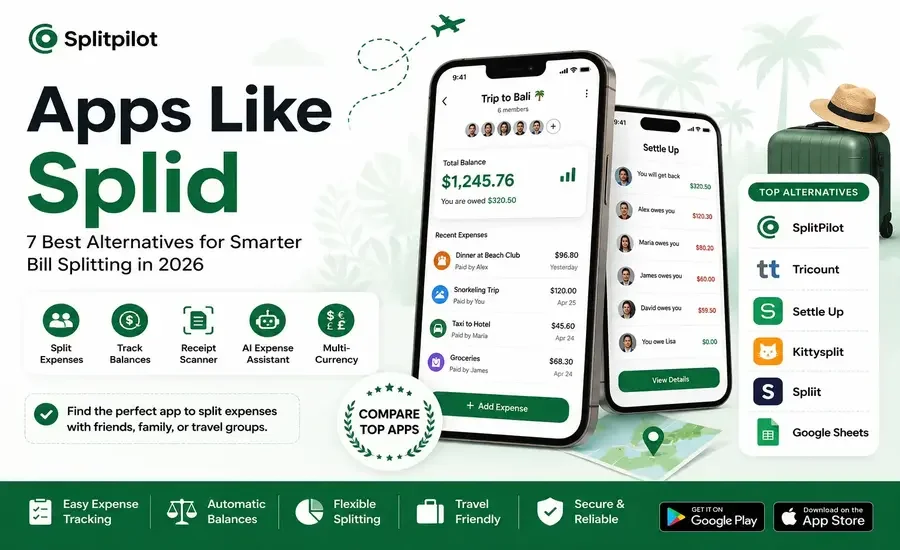
Whether you're traveling with friends, sharing rent with roommates, or organizing a family vacation, keeping track of who paid for what can quickly become confusing. That's why expense-sharing apps have become an essential tool for groups.
Splid is a well-known app for tracking shared expenses, thanks to its simple design and easy-to-use interface. However, many users eventually need more advanced features such as receipt scanning, cloud syncing, AI-powered assistance, or flexible ways to split bills.
If you're searching for the best apps like Splid, this guide compares the top alternatives, highlights their strengths and weaknesses, and helps you choose the best option for your needs.
Looking for more bill-splitting apps? You may also enjoy our guide to the Best Splitwise Alternatives, where we compare the most popular expense-sharing apps for travelers, roommates, couples, and families.
Why People Search for Apps Like Splid
Splid is excellent for recording shared expenses, but it intentionally keeps things simple. For many groups, that simplicity is enough. As trips become longer or expenses become more frequent, however, users often find themselves wanting additional functionality.
Some of the most common reasons people switch from Splid include:
Receipt scanning to save time
AI-powered expense assistance
Better group collaboration
Cloud synchronization across devices
More flexible bill-splitting options
Multi-currency support for international travel
Faster balance settlements
Better expense history and reporting
If any of these features matter to you, it's worth exploring what other apps have to offer.
What Makes a Great Splid Alternative?
Not every expense-sharing app works the same way. Before choosing an alternative, consider the features that will make your daily use easier.
Simple Expense Entry
Adding a payment should only take a few seconds, whether you're entering dinner, fuel, groceries, or hotel costs.
Flexible Splitting Options
The best apps let you split expenses equally, by percentage, by exact amount, or by custom shares.
Automatic Balance Calculation
Instead of calculating debts manually, the app should instantly show who owes whom.
Easy Group Collaboration
Everyone in the group should be able to add expenses and view balances without confusion.
Travel-Friendly Features
Support for multiple currencies, offline access, and receipt management is especially useful for vacations and international trips.
Clean User Experience
A simple interface often makes expense tracking faster than apps overloaded with features.
Best Apps Like Splid
1. SplitPilot
Best for: Travel groups, friends, roommates, and shared adventures
SplitPilot is built specifically to simplify group expense management. While it offers the same ease of use that Splid is known for, it also includes modern features designed to save time and reduce manual work.
Highlights
Create unlimited trip groups
Automatic balance calculations
Flexible bill splitting
AI Shared-Expense Assistant
Receipt Scanner
Multi-currency support
Clean and modern interface
Why Choose SplitPilot?
SplitPilot is ideal for travelers who want more than basic expense tracking. AI assistance can answer questions about group balances, while receipt scanning eliminates the need to enter every expense manually.
Related reading: Learn how SplitPilot compares with another popular app in our SplitPilot vs Settle Up comparison.
2. Tricount
Best for: International travel groups
Tricount is one of the longest-running bill-splitting apps and remains a favorite among travelers thanks to its support for multiple currencies and collaborative expense tracking.
Pros
Easy to use
Multi-currency support
Expense summaries
Great for vacations
Cons
Limited automation
No AI features
Manual receipt entry
You can also read our guide on Why Users Need a Tricount Alternative to see where it falls short.
3. Settle Up
Best for: Roommates and ongoing shared expenses
Settle Up offers more advanced reporting and balance management than Splid, making it a strong option for people sharing expenses over longer periods.
Pros
Cloud synchronization
Detailed reports
Debt simplification
Cons
More complex interface
Some premium features
If you're considering this app, check out our comparison of Apps Like Settle Up for additional alternatives.
4. Kittysplit
Best for: Quick events without installing an app
Kittysplit works entirely in the browser, allowing users to split expenses without creating an account or downloading an application.
Pros
Free to use
No registration
Fast setup
Cons
Fewer advanced features
Limited mobile experience
5. Spliit
Best for: Users who prefer open-source software
Spliit is a lightweight expense-sharing platform that focuses on simplicity and transparency. Because it's open source, users can even self-host the application if they prefer.
Pros
Completely free
No account required
Open source
Progressive Web App
Cons
Smaller feature set
Limited ecosystem
6. Google Sheets
Best for: Users who want complete control
Some people still prefer tracking expenses in spreadsheets. While Google Sheets offers unlimited customization, it also requires manual calculations and more effort.
Pros
Free
Highly customizable
Cons
No automatic balances
Easy to make mistakes
Time-consuming
7. Splitwise
Best for: Large groups and frequent expense sharing
Although many users are looking beyond Splitwise, it still remains one of the biggest names in expense splitting and is worth considering if you need extensive features and integrations.
Feature Comparison
Feature | SplitPilot | Splid | Tricount | Settle Up | Kittysplit |
Free Version | ✅ | ✅ | ✅ | ✅ | ✅ |
Automatic Balances | ✅ | ✅ | ✅ | ✅ | ✅ |
Receipt Scanner | ✅ | ❌ | ❌ | Limited | ❌ |
AI Assistant | ✅ | ❌ | ❌ | ❌ | ❌ |
Multi-Currency | ✅ | ✅ | ✅ | ✅ | Limited |
Cloud Sync | ✅ | Limited | ✅ | ✅ | Browser |
Best for Travel | ⭐⭐⭐⭐⭐ | ⭐⭐⭐⭐ | ⭐⭐⭐⭐⭐ | ⭐⭐⭐⭐ | ⭐⭐⭐ |
Which Splid Alternative Is Right for You?
Choosing the right app depends on how you manage shared expenses.
Choose SplitPilot if you want AI-powered features, receipt scanning, and a modern experience built for travel.
Choose Tricount if international trips are your priority.
Choose Settle Up if you regularly split household or roommate expenses.
Choose Kittysplit if you want a simple browser-based solution.
Choose Google Sheets if you prefer managing everything manually.
SplitPilot vs Splid
Feature | SplitPilot | Splid |
Automatic Balance Tracking | ✅ | ✅ |
Flexible Expense Splitting | ✅ | ✅ |
AI Shared-Expense Assistant | ✅ | ❌ |
Receipt Scanner | ✅ | ❌ |
Trip Management | ✅ | ✅ |
Multi-Currency Support | ✅ | ✅ |
Expense History | Advanced | Basic |
Frequently Asked Questions
What are the best apps like Splid?
Some of the best alternatives include SplitPilot, Tricount, Settle Up, Kittysplit, Splitwise, and Spliit. Each offers different features depending on whether you prioritize travel, roommates, or everyday expense sharing.
Is Splid still worth using?
Yes. Splid is still a good option for users who only need basic expense tracking. However, users looking for AI features, receipt scanning, or enhanced collaboration may prefer newer alternatives.
Which app is best for travel expenses?
SplitPilot and Tricount are among the strongest choices for travel groups because they support multi-currency expenses and simplify group settlements.
Is there a free alternative to Splid?
Yes. Several apps, including SplitPilot, Kittysplit, Tricount, and Spliit, offer free plans with essential expense-sharing features.
Which app works best for roommates?
Settle Up and SplitPilot are both excellent choices for roommates because they support recurring shared expenses and make balancing payments simple.
Conclusion
Splid is a reliable app for basic expense tracking, but it's no longer your only option. Today's bill-splitting apps offer smarter automation, better collaboration, and features that simplify everything from weekend getaways to long-term shared living.
If you're looking for a modern alternative with AI-powered expense assistance, receipt scanning, flexible bill splitting, and an intuitive interface, SplitPilot is an excellent choice. No matter which app you choose, the right tool can make group expenses easier to track, easier to understand, and much easier to settle.